
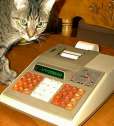
Casio fx-6000G
| Datasheet legend
Ab/c:
Fractions calculation
AC: Alternating current BaseN: Number base calculations Card: Magnetic card storage Cmem: Continuous memory Cond: Conditional execution Const: Scientific constants Cplx: Complex number arithmetic DC: Direct current Eqlib: Equation library Exp: Exponential/log functions Fin: Financial functions Grph: Graphing capability Hyp: Hyperbolic functions Ind: Indirect addressing Intg: Numerical integration Jump: Unconditional jump (GOTO) Lbl: Program labels LCD: Liquid Crystal Display LED: Light-Emitting Diode Li-ion: Li-ion rechargeable battery Lreg: Linear regression (2-var. stats) mA: Milliamperes of current Mtrx: Matrix support NiCd: Nickel-Cadmium recharg. batt. NiMH: Nickel-metal-hydrite rech. batt. Prnt: Printer RTC: Real-time clock Sdev: Standard deviation (1-var. stats) Solv: Equation solver Subr: Subroutine call capability Symb: Symbolic computing Tape: Magnetic tape storage Trig: Trigonometric functions Units: Unit conversions VAC: Volts AC VDC: Volts DC |
| ||||||||||||||||||||||||||||||||||||||||||||||||||||||||
 Along with the fx-7000G, the Casio fx-6000G has the proud distinction of being a member of the first family of graphing calculators ever produced.
For a reason that at first appeared inexplicable, I liked the fx-6000G at first sight, much more so than other, more advanced graphing calculators from Casio. I felt the same thing a while back, when I first came across the Casio fx-7500G. Why is it that I actually like these calculators while I often use the adjective "uninspiring" to describe many of their significantly more capable cousins?
I think I found the answer. The fx-7000G and later graphing models, the CFX-9800G and other color graphing calculators, or the recent Algebra FX 2.0 all have the appearance of a high-end graphing calculator. Yet their features are less well integrated, they are, to use an unscientific term, less "fun" to use than similar-looking models from HP or TI. The fx-6000G, on the other hand, has the somewhat unassuming size and appearance of a mere scientific calculator, albeit one with a somewhat larger-than-usual display. It is, in fact, a nice shirt-pocket machine but with graphical capabilities.
Whatever my reasons, I really did like this vintage machine. This should be evident from the fact that, in addition to my usual programming example of a simple Gamma function implementation, I also wrote another program, which uses the first to plot the Gamma function on the calculator's graphical display. In the example code below, Prog 0 computes the logarithm of the Gamma function using the last result (Ans variable) as its argument, whereas Prog 1 plots the Gamma function's graph for values between -5 and +5.
Prog 0
Rad
Ans→X
1→S
X<0⇒-1→S
X<0⇒-X→X
ln (2.506628283501+92.20704845211÷X-83.17763708288÷(X+1)+
    14.80283193078÷(X+2)-.2208497079533÷(X+3))+
   (X-.5)ln (X+3.85)-X-3.85→G
S<0⇒ln (-π÷Xsin πX)-G→G
G
Prog 1 Range -5,5,1,-20,20,5 -5→Z 0→L 0→T Lbl 1 Z>0⇒Goto 2 Frac Z≠0⇒Goto 2 0→T Goto 3 Lbl 2 Z Z<0⇒Frac (Int Z÷2)=0⇒Z+1 Prog 0 eG→G Z<0⇒Frac (Int Z÷2)=0⇒G÷Z→G Abs G<20⇒Goto 5 0→T Goto 3 Lbl 5 Plot Z,G T=0⇒Goto 4 G×L<=0⇒Goto 4 Line Lbl 4 G→L 1→T Lbl 3 Z+10÷96→Z Z<=5⇒Goto 1 Graph Y=0
